Browse guides⌄
Manage artwork inventory
Create reliable artwork records, control availability and pricing, and keep the catalogue useful.
A strong artwork record should answer what the work is, who made it, where it is, whether it can be sold, and what your gallery knows about its history.
Add a work
Go to Inventory → Artworks and choose Add Artwork. Quick Add asks for the minimum needed to create a record:
- Title (required)
- Year
- Status
- Price and currency
- Price visibility
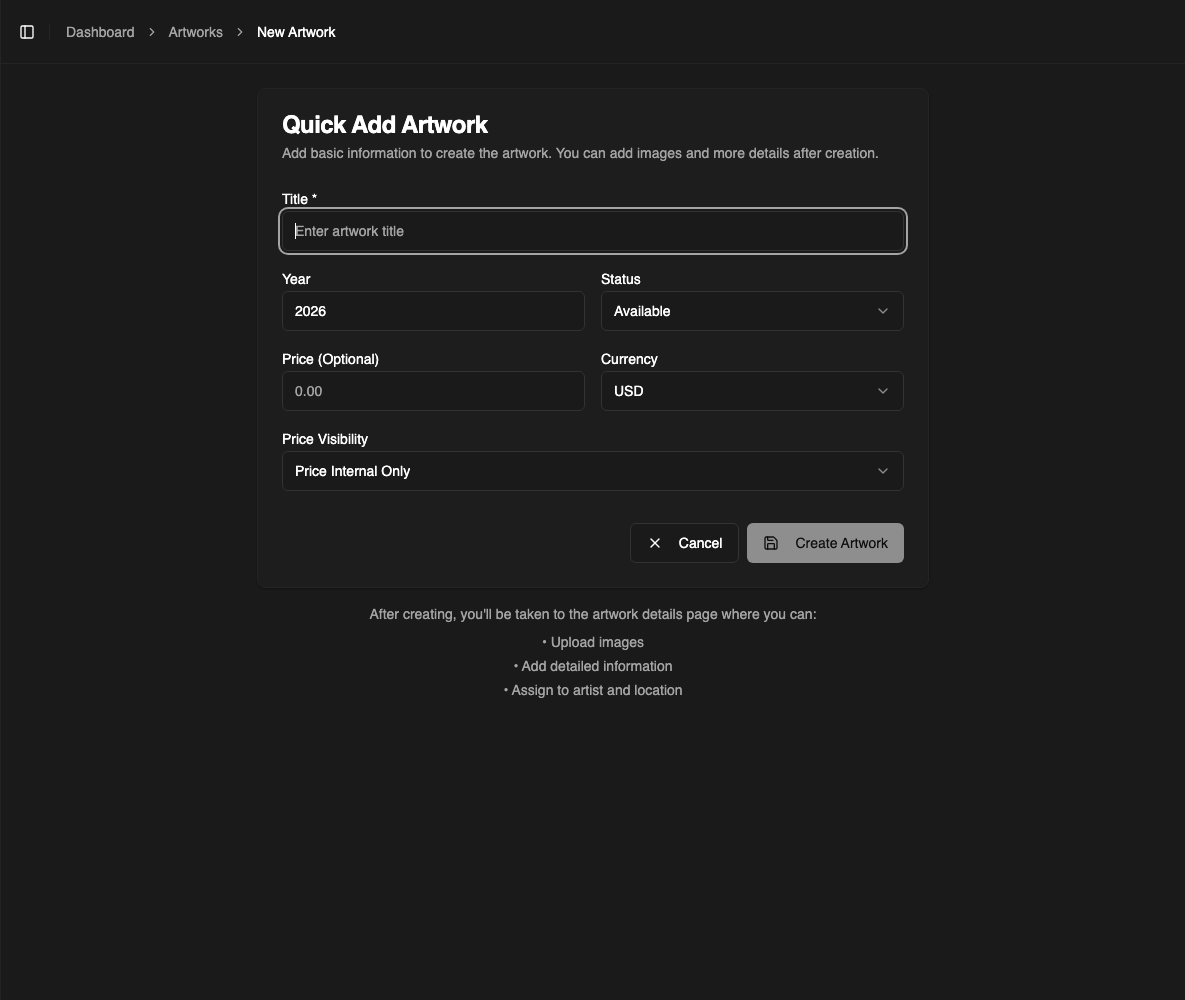
Choose Create Artwork, then complete the record with images, artist, location, medium, dimensions, identifiers, and supporting details.
Cataloguing rule: if a fact is unknown, leave it unknown. Do not use a guess merely to make a field look complete.
Choose the right status
- Available — actively available for sale
- Reserved — being held for a collector or active transaction
- Sold — sold and no longer available
- On loan — temporarily with another party
- Not for sale — catalogued but intentionally unavailable
Status affects lists, dashboard totals, reports, and what your team can confidently present. Update it as soon as a work is reserved, sold, returned, or released.
Set price visibility intentionally
Price and visibility are separate decisions. A work can have an internal price without displaying that price to a collector. Confirm the visibility setting before adding a work to a public site or private room.
Use one currency per work and record agreed discounts on the order, not by overwriting the catalogue price. This preserves the distinction between list price and sale terms.
Add useful images
Use a clean primary image with accurate color and enough resolution to inspect the work. Add detail, frame, verso, signature, and installation images when useful.
A practical sequence is:
- Full work, straight on
- One or more details
- Frame and verso
- Signature or marks
- Installation or scale reference
Only publish images your gallery has permission to reproduce. Avoid filenames or visible backgrounds that reveal private collector information.
Editions and multiples
For editioned work, use the edition controls rather than creating unrelated duplicate records. Record the edition size and individual numbers so available and sold examples remain connected while retaining their own status.
Provenance and condition
The artwork record can hold ownership history and condition reports. For provenance, identify the owner or party, how the work moved, and the relevant years. For condition, record a rating, concise verdict, occasion, and specific observations.
Write condition notes as observations, not reassurance. “Two small areas of paint loss at lower left” is more useful than “good for its age.”
Find and review work
The Artworks list gives your team an at-a-glance view of image, title, artist, year, medium, price, and status. Search by title and use filters to narrow a larger catalogue.
Schedule a recurring inventory review for missing images, unspecified artists, outdated locations, unusual prices, and statuses that have not changed in a long time.
Importing in bulk
Use the import flow when moving a substantial existing catalogue. Start with a small sample, review the resulting records, and only then import the full file.
Before importing:
- Normalize artist names and status values
- Separate dimensions into consistent fields
- Use unambiguous dates and currencies
- Keep stable legacy identifiers
- Back up the source file
Afterward, compare record counts and spot-check works from the beginning, middle, and end of the file.